
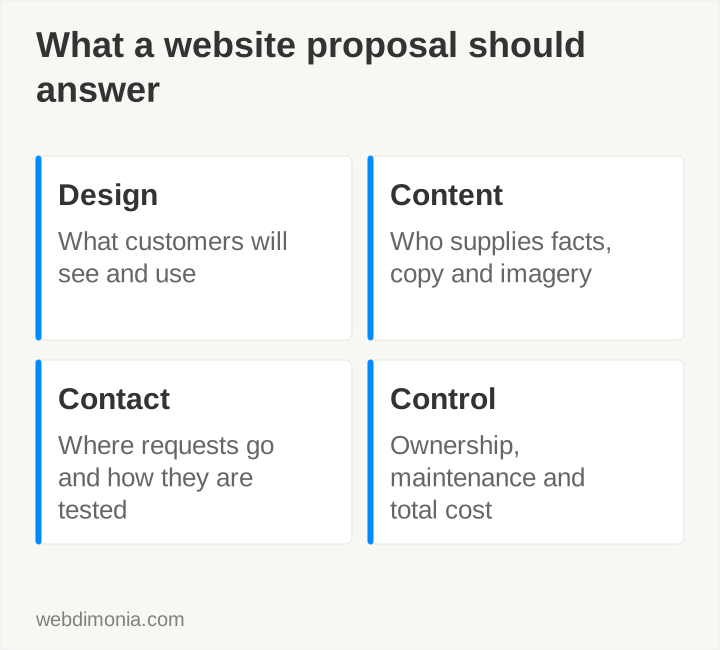
When comparing website proposals, start with what your customers will see: the pages, photographs, mobile layout and route to your office. Ask each provider to show how their scope delivers that experience.
An admin dashboard can be useful, but it shouldn't distract from a public site that still looks generic. Use the checklist below to compare design, content, contact paths and the responsibilities that continue after launch.
If you already have a site, use the repair-versus-rebuild checklist to decide how much work it needs.
Start with the first impression and the whole page
Ask to see real delivered work in a browser, including the mobile version. Inspect the hero, imagery, middle sections and footer. Look for a coherent visual direction rather than one impressive screenshot above a generic page.
Explain what you like in specific terms: the scale of the photography, the room around the headline, the restrained use of color or the clarity of the contact section. That gives a designer a useful brief.
Our four website examples explain those choices using actual client sites.
Define the audience and next step
Name the locations and customers the agency can serve. Decide which services need their own explanation and what someone should do after reading. Specify the right office, phone number or form destination.
Distinguish new quote inquiries from existing-customer requests. Explain what happens outside office hours and whether a button leads to a separate approved system. A vague “Get started” label can hide a process that should be clear before the visitor clicks.
Have the provider demonstrate the main journey on a phone. A desktop mockup cannot establish whether a visitor can open the menu, read the headline and complete the contact step comfortably.
Put content and approval responsibilities in the scope
Record who supplies and reviews copy, staff details, office facts, photographs and permitted carrier assets. If writing is included, clarify what research and revision are included too.
For captive agencies, confirm carrier requirements with the carrier. A provider's previous project for another office does not establish approval for your agency. Build the required review dependency into the schedule.
Prepare a photography brief early. A design built around strong imagery can stall when the only available assets are small, mismatched or unlicensed files.
Ask how inquiries are captured and routed
A successful animation is not proof that the office received a request. Ask how the form validates input, confirms capture, handles a failed notification and prevents unnecessary duplicate submissions.
Record the receiving system and the person responsible for responding. Test through an agreed route with controlled data. Avoid collecting policy or other sensitive details simply because the form can support more fields.
If ads are planned, discuss landing pages and conversion tracking before the build is finalized. Otherwise, necessary campaign work may sit outside the original website quote.
Verify ownership and practical editing
Use the ownership worksheet to record domain, DNS, hosting, design files, content rights and account access. Ask what a future provider would receive and which third-party licenses remain subject to separate terms.
Have the provider demonstrate a routine change such as updating hours or replacing a team photograph. Confirm who can publish and which changes require development. Evaluate an admin system by those tasks, not by the appearance of its dashboard.
Keep recovery and renewal responsibility clear. Agency-controlled access matters when an employee leaves or a vendor relationship ends.
Compare the full commercial scope
| Item | What the proposal should make clear |
|---|---|
| Public design | Included pages, responsive layouts and review rounds |
| Content | Writing, migration, photography and approval responsibilities |
| Functionality | Forms, routing and any scoped integrations |
| Ownership | Delivered assets, account access and license restrictions |
| Ongoing costs | Care, hosting, domains, tools and usage charges |
| Future work | Routine updates versus new pages or development |
| Launch | Testing, payment, domain change and live verification |
Webdimonia websites start at $2,000. The deposit is 50%, with the balance due before launch. The process is strategy, Website Design Questionnaire, design and approval, Technical Questionnaire, development, testing and review, final payment and launch. Review current pricing for care and marketing options; they are separate from the initial build.
Preserve what already works
Inventory useful existing URLs, content and contact processes. A redesign should not discard a page merely because its visual treatment is old. Decide which addresses stay, which change and how relevant redirects will work.
Ask who checks metadata, crawl directives, the sitemap and the live domain after release. Use the launch checklist to assign responsibilities instead of assuming the developer handles everything automatically.
The strongest proposal makes the public design tangible and the operating responsibilities explicit. Once you can compare those details, price becomes a much more meaningful number.
Keep a record of what passed
Download the provider evidence checklist before choosing a supplier and the handoff checklist before accepting the finished site. Add the actual screenshot, account-access check or test receipt beside each requirement.
Our 200-site source study illustrates why a detected form or phone link is only a starting check. Confirm the rendered page and the destination yourself. If the existing site has isolated problems, use the repair-versus-rebuild checklist before commissioning a replacement.