Picture switching website providers a year from now. Can you keep your domain, retrieve your content and give the new developer the access they need? If the answer depends on a conversation you haven't had, settle it before the build starts.
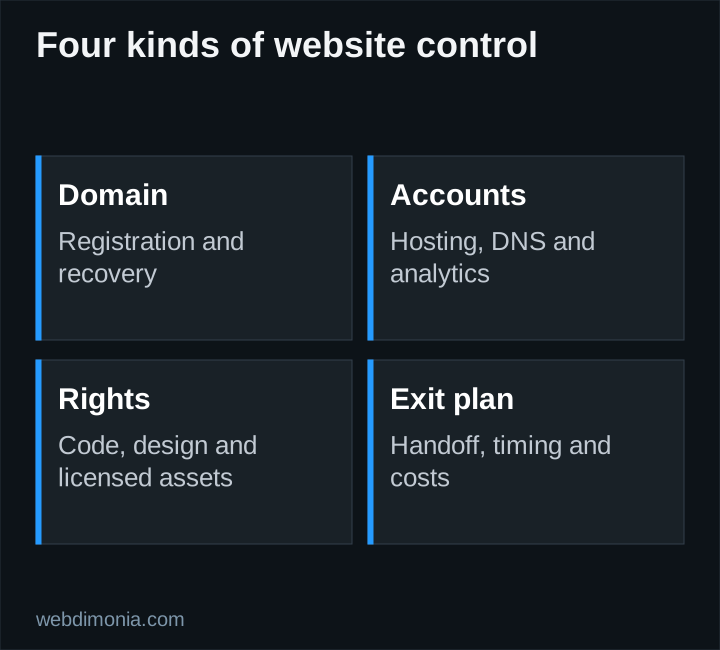
“Own your website” can refer to several different things: the domain, design, code, content or accounts. Use the checklist below to pin down each one. The agreement determines the rights you receive.
Put the domain under accountable agency control
Ask who is listed as the domain registrant, which registrar manages it, which email receives renewal notices and who can approve changes. Use an agency-controlled recovery address that will remain available if an employee or vendor leaves.
ICANN's registrant guidance explains the registrant's relationship with a registrar and the importance of managing the registration. Do not confuse buying hosting with registering the domain. A provider can manage both, but the responsibilities still need to be explicit.
Turn on the available account protections and document renewal responsibility. Avoid a recovery setup that depends entirely on an inbox hosted behind the same domain being recovered. Keep access records in an appropriate password manager, not a spreadsheet emailed to the entire office.
Separate DNS, hosting and business email
DNS directs services associated with your domain. Hosting serves the website. Your mail provider handles business email. These may be sold by one vendor, but changing the website should not accidentally remove the records used for email.
Before a migration, ask for an inventory of relevant records and a named person responsible for the change. Preserve working mail settings unless the agreed scope explicitly includes an email migration. Schedule the change when someone can verify the website, forms and email service afterward.
For hosting, clarify whether the account belongs to the agency or the vendor, how billing works and whether a handoff is available. Vendor-managed hosting can be reasonable. The risk is an undefined exit process, not management itself.
Ask what you receive at final payment
“Full ownership” needs a concrete definition. Ask whether the agreement covers design source files, custom code, written copy, exported content, photographs and reusable components. Licensed fonts, stock images and third-party software may remain subject to their own terms.
A useful question is: “If another qualified developer takes over, what can they legally use, and what will they actually receive?” Follow with the format of the handoff and any work required to make the site run elsewhere.
Do not assume that a Figma file is the production website or that a content export includes every integration. Request a short inventory that distinguishes the editable design, the deployed application and external services.
Complete an access worksheet
| Asset | Record before launch |
|---|---|
| Domain registration | Registrar, registrant, recovery contact, renewal owner |
| DNS | Account administrator and change procedure |
| Hosting | Billing owner, deployment access, handoff terms |
| Design and content | Delivered files, usage rights, third-party restrictions |
| Analytics and search tools | Agency administrator and provider access |
| Forms | Data destination, notification recipient, retention owner |
| External services | Account owner, recurring fees, cancellation effects |
Give each row one accountable agency contact and one provider contact where needed. Use separate invited accounts instead of sharing a single administrator password when the platform supports them. Review access when a staff member leaves.
Make the exit plan concrete
Ask how much notice is required, what support continues during a transition and whether an export or transfer carries a fee. Confirm when the existing provider will remove access and when subscriptions can safely end.
An orderly handoff should identify the new destination, transfer the agreed assets, verify the site and contact paths, then retire the old services. Canceling everything before the replacement works can interrupt the website or notifications.
Keep an inventory of important page addresses as well. Moving to a new provider does not require changing every URL. If addresses must change, prepare a page-by-page redirect plan and test it after launch.
Test access instead of collecting promises
Before the project closes, have the agency's designated administrator sign in to the relevant accounts. Confirm that recovery contacts and billing notices reach the correct person. Ask the provider to demonstrate one routine content change and explain which changes require paid development.
Use a controlled test inquiry to verify the form destination. Check who can read submissions and how access is revoked. A handoff should not expose customer information to people who no longer need it.
At Webdimonia, website scope and recurring care are separate decisions. Review our website service, pricing and the launch checklist together, then put the agreed deliverables and responsibilities in the project agreement. Clear ownership is most useful when it produces a working, maintainable website.