Your agency's social page doesn't need another stock graphic saying “We've got you covered.” It needs enough real, current information that someone can recognize the office and understand how to contact it.
The twelve-post calendar below mixes people, practical explanations and office updates. Use it as a starting point, replacing each example with facts and images your agency can approve.
Choose three or four repeatable themes
Start with the information the office can publish accurately. Team introductions and real office details establish identity. Process posts explain what happens after contact. Preparation checklists help customers arrive ready for a conversation. Approved service explanations connect the content to what the agency offers.
Avoid turning every post into a sales pitch. A useful directions image or a clear explanation of office hours can help a customer even when it does not ask for a quote. Give each post one purpose rather than combining an office update, a product explanation and a promotional offer in the same graphic.
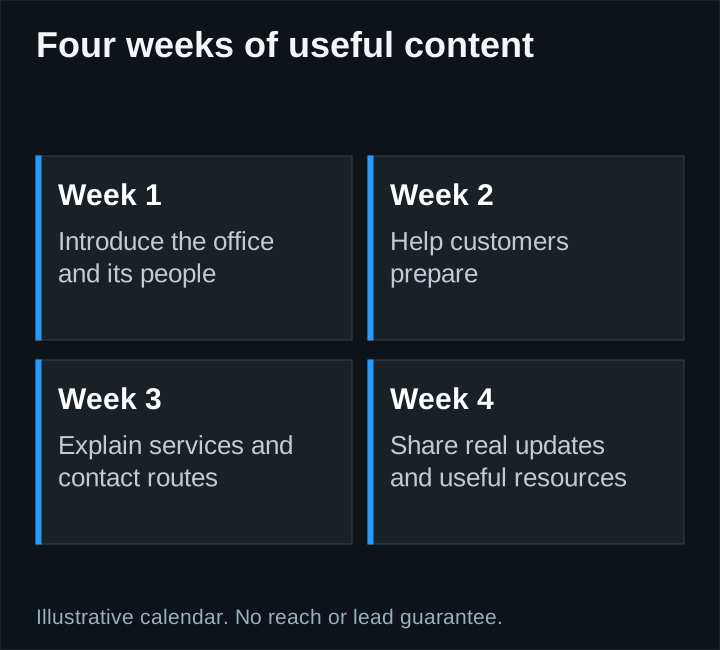
A four-week, twelve-post example
| Week | Post idea | Visual and next step |
|---|---|---|
| 1 | Meet a real team member | Approved portrait; explain their actual role |
| 1 | How to reach the office | Real exterior or directions graphic; link to contact |
| 1 | What happens after an inquiry | Three-step diagram; explain the actual process |
| 2 | Prepare for a quote conversation | Short checklist; link to a reviewed website guide |
| 2 | A question the office often receives | Simple question-and-answer graphic; use approved wording |
| 2 | Inside the office | Real photograph with private information removed |
| 3 | Explain one supported service | Restrained branded graphic; link to its service page |
| 3 | Meet another team member or show a real office detail | Current photo and factual caption |
| 3 | Choose the right contact route | Explain new inquiries versus existing-customer needs |
| 4 | A verified office update | Date and practical details; avoid invented events |
| 4 | A second preparation tip | Checklist or short approved video |
| 4 | A useful resource recap | Link to the month's most relevant guide |
If you need sixteen pieces, add four genuinely useful variations, such as an approved short video, another distinct customer question or a real local-office update. Do not stretch one sentence into four nearly identical posts merely to reach a quota.
Write captions from the customer's situation
A caption should identify the point quickly. For example: “Planning to visit our office? Here is the entrance and where to find the current hours.” That is more useful than “Your trusted partner for all of life's journeys.”
For an educational post, distinguish general preparation from coverage advice. A caption about what to discuss with an agent should not imply that a product covers every situation or that a quote is guaranteed. Have the agency's reviewer approve product language and carrier assets.
A simple caption brief includes the audience, one takeaway, the relevant fact and an optional next step. Use a call to action when it helps the reader; not every team photograph needs an urgent sales message.
Generate visuals that explain something
Use real photographs for real people and places. Use original diagrams for a process, a short checklist or a comparison. Do not generate a fake employee, testimonial, office or customer result to make the page look active.
Keep text large enough to read on a phone. Put essential information in the caption too, and provide useful image descriptions where the platform supports them. Avoid placing an entire article inside a small square graphic.
Build a small set of consistent layouts rather than a new visual style for every post. The photography guide can help the office capture enough genuine material for both the website and social channels.
Use an approval workflow people can follow
Prepare the month's proposed captions, visuals, links and dates in one reviewable batch. Name the person who checks agency facts and any carrier or compliance requirements. Keep each revision tied to the correct asset so an old graphic is not paired with a new caption accidentally.
After approval, schedule the content and verify the published result. Check link destinations, image crops and time-sensitive details. Have a process to pause scheduled posts when an office closure, significant event or factual change makes them inappropriate.
Measure more than posting volume
Report what was published, relevant engagement and useful website actions where measurement is available. Keep platform interactions separate from captured inquiries and customers. A profile visit is not automatically a lead, and a busy calendar is not proof of profitable acquisition.
Use the marketing-report template to connect the work to decisions. If people repeatedly ask a question the content was supposed to answer, improve the explanation instead of celebrating impressions alone.
Webdimonia's Organic Content service starts at $1,500 per month and includes roughly twelve to sixteen pieces, with planning, writing, simple branded graphics, scheduling and reporting. The agency approves the content. This is social publishing; website article work and paid ad spend are separate scopes. Review current pricing before comparing proposals.