Before changing categories or adding photos to your Google Business Profile, make sure you're working on the right listing. A duplicate profile or an account nobody in the office controls is a more immediate problem than an imperfect description.
Insurance businesses can involve an office listing, a practitioner listing or both, depending on eligibility. Start by checking the real business setup against Google's rules, then improve the information customers use to find and contact you.
Check organization and practitioner eligibility
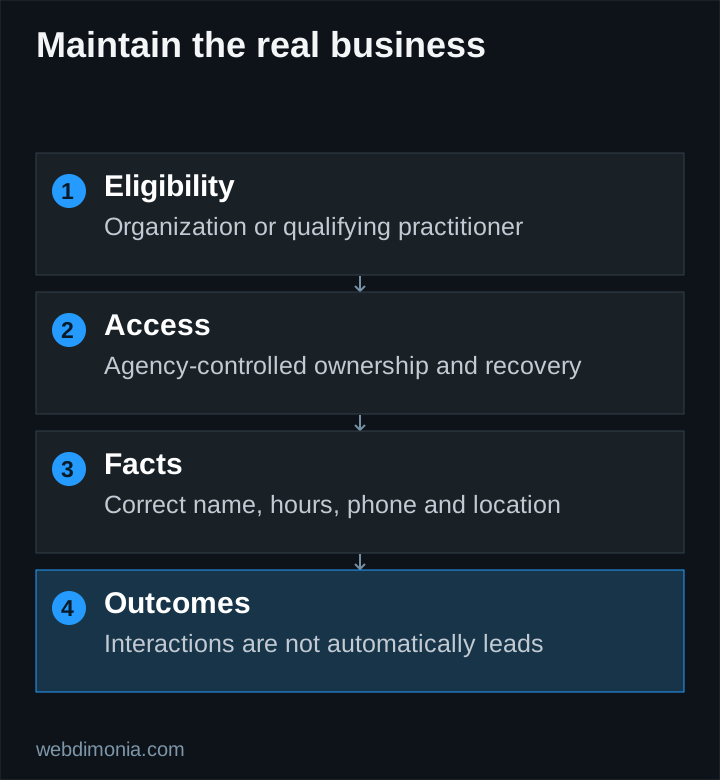
Google's business representation guidelines address insurance agents as individual practitioners. Eligibility depends on the actual public-facing role and ability to contact the practitioner at the verified location, among other requirements. Support staff do not become eligible simply because they work at the office.
The guidance also distinguishes a solo practitioner at a branded organization from multiple practitioners at one location. Do not assume every employee should have a profile or create separate profiles for different specialties. Use the applicable guideline and the real operating arrangement before changing anything.
If an existing profile has history or reviews, investigate it first. Record ownership, duplicates and current status. Creating a fresh profile to avoid resolving access may create a harder problem later.
Put agency-controlled access in place
The agency should know which account owns the profile and have a recovery process it can maintain. Invite a provider through the supported access controls rather than handing over a shared personal password.
Keep a record of the people with access, their role and why they need it. Review the list when staff or vendors change. Do not remove the only working administrator before confirming that the replacement can access the profile.
Use an agency-controlled contact for important notices. A listing that depends on a former employee's inaccessible account is an operational risk even when its public information looks correct.
Complete the facts customers actually use
Check the public business name, appropriate category, address or service arrangement, hours, phone number and website destination. Use the real business identity rather than adding a string of city and coverage keywords to the name.
Verify holiday or exceptional hours when relevant. Make sure the linked page describes the correct office and that phone calls reach a monitored destination. A profile can generate interest while an outdated number prevents anyone from reaching the agency.
Google describes local results in terms of relevance, distance and prominence. Complete information can help represent the business accurately, but it cannot move the office closer to every searcher or purchase a better organic local position.
Use photographs as practical evidence
Publish current, permitted images that help a visitor recognize the office or understand the team. An exterior image should show the real location. Avoid staged claims of a larger team, fake offices or stock portraits presented as employees.
Check privacy before uploading office photographs. Screens, paperwork and reflections can reveal customer information. Keep an organized set of approved files so a staff member can update the profile without guessing which assets are safe to use.
Coordinate profile imagery with the website without forcing every image into the same crop. The website photography guide includes a shot list that can also support accurate office presentation.
Connect the profile to a useful office page
For a business with several real offices, the destination should help visitors identify the location they selected. Include current details and a clear contact route. Do not send every profile to an unrelated generic page if a more relevant, accurate destination is available and permitted.
A location page should add practical information, not just repeat the city name. Keep any structured data consistent with the visible facts. Never create a fictional office page to justify an ineligible profile.
Ask for reviews consistently and neutrally
Invite genuine customers to share an honest experience through an appropriate review link. Do not filter the request so only satisfied customers reach Google, offer incentives or prescribe the review's keywords. Our review-request guide provides neutral templates and a practical workflow.
Respond without confirming private policy or claim details. A public reply should not become a customer-service case file. Move sensitive discussion to an appropriate private channel.
Report what the profile metrics actually mean
Google's performance guidance defines the available metrics. A call metric can represent a click on the call button; it is not proof that the conversation connected or produced a sale.
Combine profile observations with website and office records where you can do so appropriately. Keep the stages distinct: visibility, interaction, received inquiry and reviewed outcome. Do not report every profile interaction as a new lead.
Review the profile after changes to hours, staff, location or phone routing. For the wider site and content plan, use our local SEO guide. A profile is an important public representation of the agency, and its usefulness depends on accurate maintenance as much as initial setup.