
Open an insurance agency homepage on your phone. Before you scroll, can you tell whose office it is, where it operates and how to reach it? That's the first test of the hero. The second is whether the design gives you a reason to remember this agency.
A large photograph can do that. So can a well-composed graphic. The choice depends on the agency and the available imagery, not a rule that every insurance website needs a smiling family above the fold.
Review the full journey after the first screen with the conversion optimization checklist.
Start with the agency, then the image
Write the essential information before choosing the layout: agency name, location, approved description of the business and the main contact action. Keep the message short enough to scan without removing the facts that make it useful.
For example, an office could use a headline about its local team, a sentence identifying the location and a button labeled “Contact our office.” If the next screen collects a request for a callback, the button should not promise an instant quote.
There's no universal twelve-word limit. A slightly longer headline that identifies the office is more useful than a clever phrase that could belong to a bank, a realtor or a software company.
Two actual designs, two different approaches
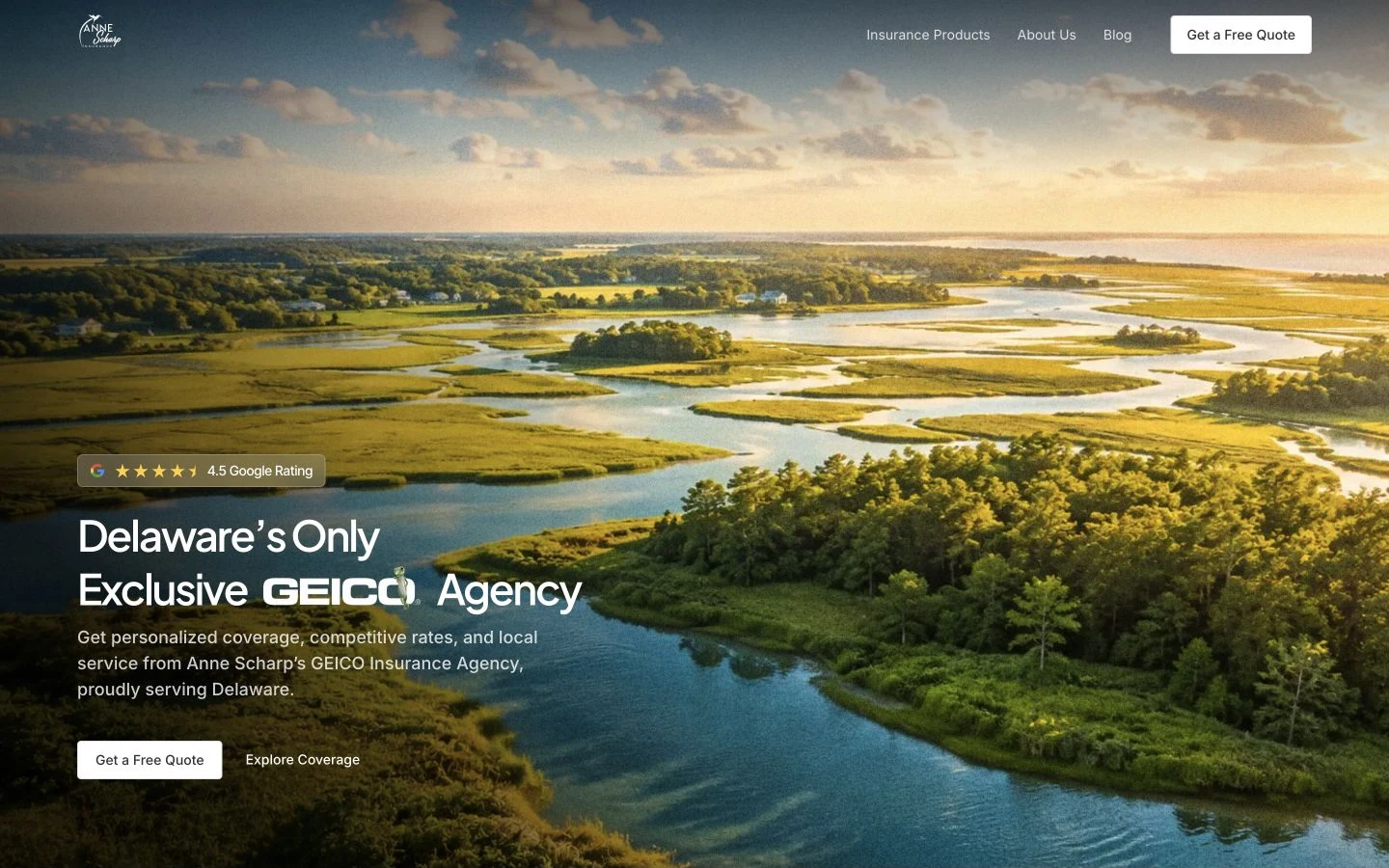
Anne Scharp's site gives a landscape photograph a large share of the opening screen. The image and restrained type establish a calm visual direction. This works as a design composition because the text has space and the photograph remains readable behind it.
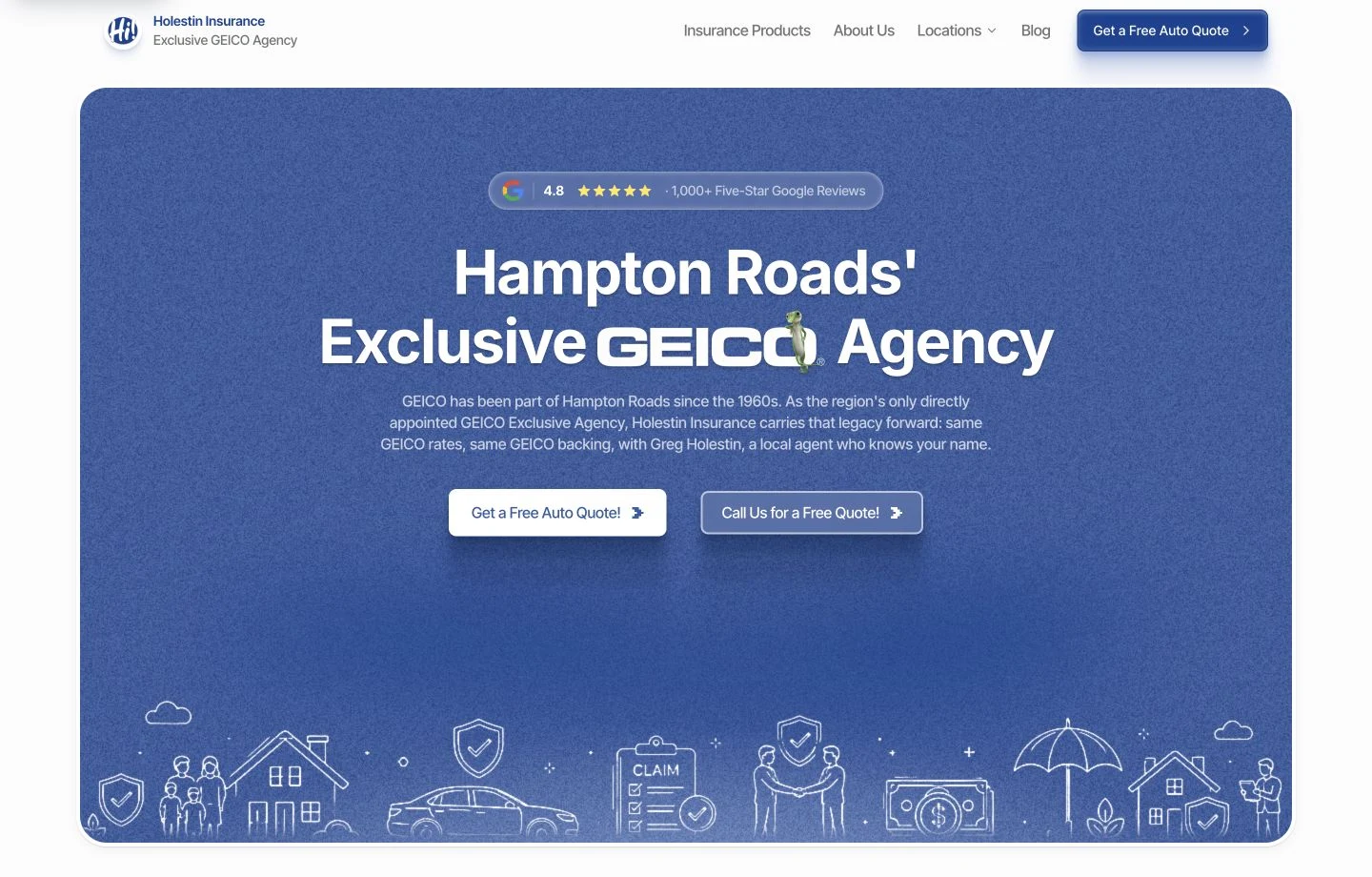
Holestin uses a different approach: centered text, blue texture and fine illustrations. There is no large hero photograph. Its character comes from the composition, scale and repeated graphic treatment.
Choose the visual approach that suits your agency and available assets. Compare usability by testing whether visitors can identify the office and find the contact route.
Give the main action a clear priority
An agency homepage may need to serve both prospects and existing customers. Making “Request a quote” prominent does not mean hiding office directions or customer-service information. Give those routes clear labels and a quieter place in the hierarchy.
Read the buttons aloud. “Get started” leaves the next step open to interpretation. “Request a callback” tells someone what to expect when that is the actual process. Then follow the link and check that the destination keeps the promise.
The homepage action guide explains how to keep one visual priority while preserving useful alternatives.
Design the mobile crop deliberately
A wide landscape can become almost unrecognizable in a narrow container. A face can disappear behind a heading. Review the crop at the size customers will actually see, rather than signing off on a scaled-down desktop image.
Ask the designer to show:
- Where the subject sits on a narrow screen.
- How the headline wraps with the real agency name.
- Whether the button remains easy to reach.
- Whether the text stays readable across the brightest part of the photograph.
Keep the headline as page text. Baking it into the image makes resizing, accessibility and later edits harder. Our photography shot list covers the space to leave for different layouts.
Review the next section too
The hero sets expectations for the rest of the page. Follow it with information that earns its space: the people, services, location or contact process a visitor needs next. Repeating the headline in three new forms makes a page longer without explaining anything.
When reviewing a design, put the opening screen, a middle section and the footer side by side. Look for consistent colors, image treatment and spacing. A distinctive first screen should be the start of a complete design, not the only part that received attention.
Browse the four agency website examples for a fuller comparison, then save the specific sections you want to discuss in your own website brief.